Developer tools · · 5 min read
GitHub Copilot code review: check an AI-built intake form
Prepare a focused pull request, give Copilot useful review criteria, assess its suggestions and request another review after changes.
By Sociologix Editorial
Give the review a concrete definition of success
This AI-assisted editorial guide uses official GitHub documentation checked November 27, 2026. It is a documentation-based recipe with original example review criteria. No GitHub review was requested, code changed or pull request merged for this article.
An AI-built intake form can look finished while mishandling failed submissions. Use a small pull request to review one behavior at a time: collecting a service request, showing a useful error and confirming a successful submission. Separate visual polish from whether the interaction preserves the customer’s work.
Before starting, confirm that Copilot code review is available under your existing account and organization policies. Reviews consume AI credits; agentic capabilities also use GitHub Actions minutes. Check the applicable billing source and limits rather than assuming a review is free. [1]
1. Put observable requirements in the pull request
Keep the change focused on the form and its request handler. Describe the intended behavior and the relevant test evidence. Use fictional data in examples and a test endpoint when checking submissions; do not send trial inquiries into a live sales inbox.
The following original PR-description checklist is a proposed review fixture. It describes what the implementation should do, not a report of completed tests. Adapt it to the actual service and API contract before asking anyone to judge the change.
## Scope
Add a project-request form; do not change prices, service terms or analytics.

## Expected behavior
- Empty required fields show an associated error and do not submit.
- Invalid email is rejected by the server, not only the browser.
- Repeated clicks while a request is pending do not start another request.
- A failed request preserves entered values and offers a retry.
- Success appears only after the server confirms acceptance.
- Keyboard users can reach controls and identify errors.

## Evidence to attach
Name the test environment and revision. Record each case as pass, fail,
or not checked. Include response-status handling and a mobile screenshot.
2. Add short, relevant repository instructions
For recurring reviews, add or extend .github/copilot-instructions.md in the repository root. It contains repository-wide natural-language guidance; retain the team’s existing rules. GitHub currently reads review instructions from the head branch containing the proposed changes, so instruction changes can be reviewed in the same PR. Check that custom instructions are enabled for the repository. [2]
Keep the example below tied to observable defects. It asks for evidence and avoids turning the review into a broad redesign request. Instructions guide an AI reviewer; they do not enforce the behavior or replace executable checks.
## Intake-form review guidance
Prioritize correctness, failure paths and unintended data exposure.
For each finding, identify the file/line, triggering input or state,
expected behavior and observed code path. Mark uncertain findings clearly.
Check client pending-state handling and server-side validation separately.
Do not treat disabling a button as server-side duplicate prevention.
Check that errors preserve input and success requires server confirmation.
Flag missing regression coverage for a concrete failure case.
Avoid cosmetic rewrites unless they cause a usability defect.
3. Request the review and read the actual findings

Open the pull request on GitHub.com. In the right sidebar’s Reviewers section, click Request beside Copilot. When the review completes, read its comments against the changed code and the requirements. [3]
A comment is a lead to investigate. For example, if Copilot says a failed request clears the form, inspect where state resets and reproduce that path against the test endpoint. If the current implementation preserves values, record why the finding does not apply. If Copilot reports nothing, still run the failure case.
GitHub documents that replies to code-review comments are visible to people, not to Copilot. Do not rely on replying in the thread to make it reconsider the code. [3] Keep your evidence in the PR for the team and request a fresh review when appropriate.
4. Apply only the changes you can explain
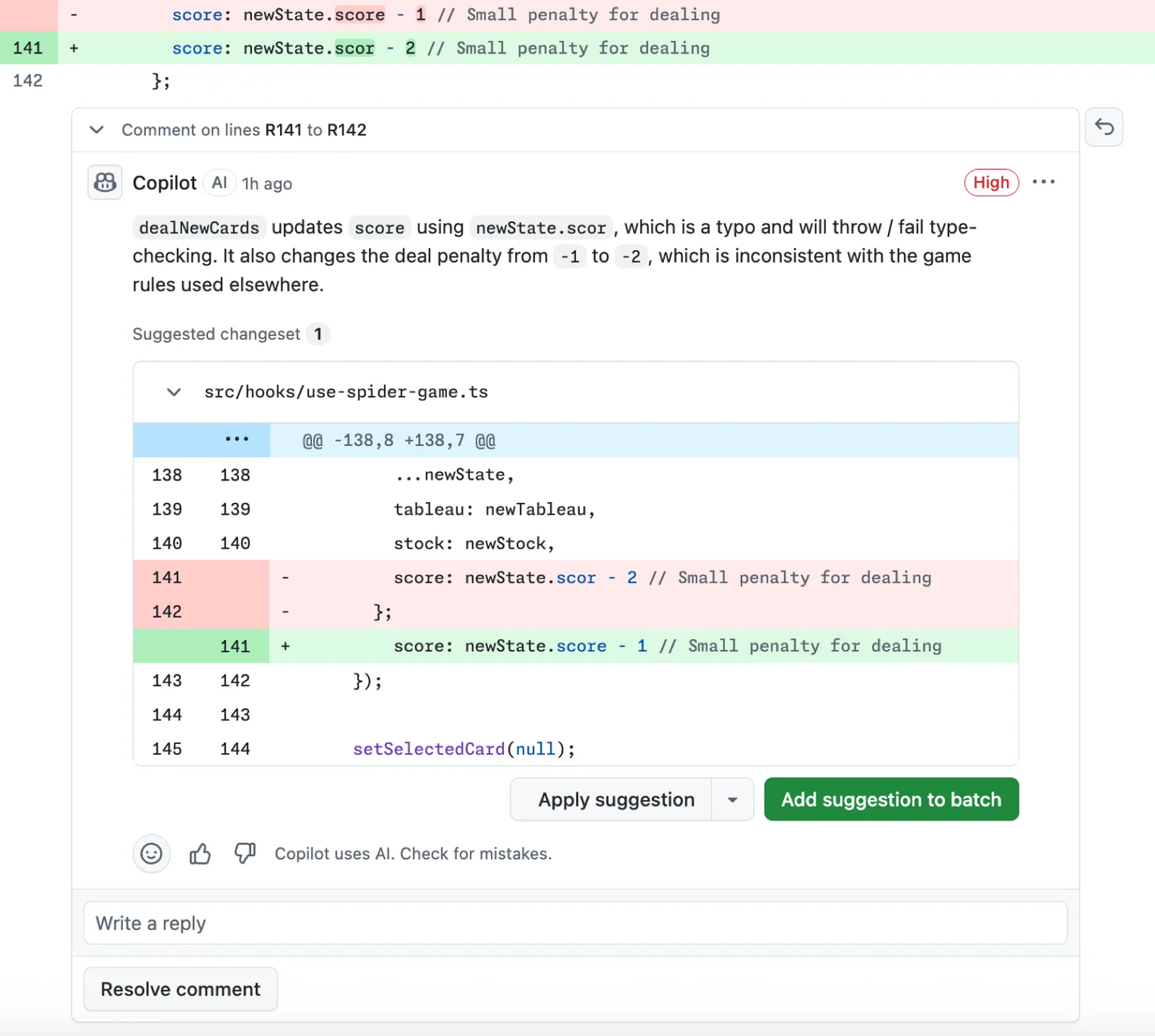
With the required write access, GitHub lets you apply a single suggestion or add several to a batch, then commit them. Its documented flow uses Commit suggestion or Add suggestion to batch, followed by a commit message and Commit changes. This creates a commit on the PR’s compare branch; it does not merge the PR. [4]
Read the entire resulting diff. A local fix for one comment might alter error handling elsewhere. For a confirmed bug, add a regression check that fails for the old behavior and passes for the fix. Run the repository’s relevant checks and build, then repeat the affected browser interaction.
GitHub warns that Copilot can miss defects, raise false positives or suggest incorrect or insecure code. Supplement its feedback with human review and test the proposed fixes. [5] A convincing explanation is not evidence that a change works.
5. Review the latest revision before deciding to merge
After pushing changes, request another review with the control beside Copilot’s name in Reviewers. New pushes do not automatically trigger another review unless configured to do so; repeated findings can appear even after earlier comments were resolved. [3]
By default, Copilot submits a Comment review that does not satisfy required approvals. Configured Copilot approvals can count, so check the repository’s actual settings instead of assuming a universal rule. [1] For this workflow, retain a separate human decision about release readiness.
Record the final commit identifier, checks completed, unresolved findings and reviewer decision. Distinguish “reviewed,” “merged” and “deployed” in the handoff. A test result from an earlier revision should not silently become the evidence for a later change.
Sources & further reading
- GitHub — Copilot code review availability, usage and billing
- GitHub — Repository instructions and the reviewed head branch
- GitHub — Requesting Copilot reviews, comments and re-reviews
- GitHub — Applying and batching pull request suggestions
- GitHub — Copilot Agents application card and code-review limitations
Make AI-built website changes easier to verify
Sociologix can help define intake-form requirements, plan meaningful acceptance checks and organize a reviewable website handoff. Bring one proposed change and the customer interaction it needs to improve.
Talk to Sociologix