AI agents · · 5 min read
Perplexity Projects: prepare a public-source account brief
Reuse a research format, inspect the actual sources and separate observed business facts from service opportunities that still need validation.
By Sociologix Editorial

Research an account before proposing a solution
This AI-assisted editorial guide uses official Perplexity documentation checked November 25, 2026. Projects is the current name for the experience previously called Spaces. The following workflow and prompts are proposed examples: no account-research task was executed in Perplexity for this article. [1]
A useful sales brief explains what a business publicly offers, how customers reach it and which questions remain unresolved. It should give the team evidence for a discovery conversation, rather than assume a company needs a particular automation or can afford a particular price.
For a luxury real-estate agency, an observed viewing-request link is a fact you can inspect. The suggestion that a better inquiry workflow might help is a hypothesis. A claim that the agency loses leads would require evidence that a public website alone usually cannot establish.
1. Create a Project for a repeatable research process
In the left sidebar, open Projects and choose New project. Give it a clear title, such as Public account research. Open See all settings; if that panel is hidden, use Configure project first. Under General, add the reusable instructions below. [2]
Projects collect sessions, files and context for ongoing work. That persistence is useful, but a fresh company brief still needs an explicit business identity and current source checks. Avoid blending several similarly named companies into one undifferentiated conversation.
Purpose: prepare public-source company research for a business-development review.
Prefer the company's confirmed official domain and original announcements.
Separate observed facts, interpretations, and questions that remain unanswered.
For each factual claim, include its supporting source URL.
Do not infer revenue, software contracts, budgets, personal contacts, or buying intent.
Treat a suggested service opportunity as a hypothesis to validate.
Ask for clarification when the company identity is ambiguous.
Keep the output concise and record the research date.
Do not send messages, edit a CRM, or publish anything.
2. Set the source context before starting
General contains the default Search or Computer mode, while Sources holds files and web links or domains to prioritize. For this recipe, begin with Search and public company pages. A prioritized domain is not a guarantee that every statement will come from that domain. [2]
Check the Project’s existing context before using it. Keep private account connectors and unrelated project material out of this exercise. A prompt requesting public information is an instruction to inspect the resulting work, not an access-control setting.
Keep Web enabled for current public research. The technical guide describes Web off as answering from the model’s internal knowledge, not as a way to prove that an answer used only approved evidence. It also says this choice is made at the start of a session. [4]
3. Give one company a bounded research request
Supply the confirmed business name and official website URL before submitting the prompt below. If you are not sure which company a domain belongs to, resolve that first. A polished brief about the wrong business is still the wrong brief.
Ask for a small number of supported observations and explicitly separated hypotheses. The proposed format makes gaps visible: if a page does not identify a technology provider, the brief should leave the provider unconfirmed instead of guessing from the page’s appearance.
Company: enter the confirmed business name.
Official website: enter its verified public website URL.

Prepare an account brief for a possible website or automation discovery call.
Use current public company sources. Do not use private connected accounts.
Return:
1. Up to five supported facts about the business and its public customer journey.
   For each, give the source URL and the passage that supports the claim.
2. Up to two service opportunities, explicitly labeled as hypotheses.
3. Questions a discovery call would need to resolve.
4. Sources that were unavailable and claims you could not verify.

Check which company each source describes.
Do not treat a missing feature on one page as proof it does not exist.
Do not invent contact details, prices, technology stacks, or sales results.
Research only; do not contact the company or start recurring work.
4. Inspect the answer and its sources
Use the answer’s Source button to inspect the Model, Search mode and Source mode applied. This provides useful run context; it is not a factual-accuracy score. Open the cited URLs yourself and compare each claim with the page text. [3]
These are proposed acceptance checks, not observed model results. Confirm the business identity, follow at least one customer-facing path manually, and distinguish what you saw from what a model inferred. For example, the presence of a contact form does not establish that its backend delivers messages successfully.
Remove unsupported claims before the brief enters a sales workflow. If a cited page is inaccessible, mark the related claim unverified. If a source has no publication date, record when you checked it rather than inventing a release date or presenting a cached statement as a new announcement.
- Identity: every company-specific source describes the same business and market.
- Evidence: each retained factual claim has a page that directly supports it.
- Interpretation: proposed improvements remain labeled as hypotheses for discussion.
- Unknowns: budget, internal systems, conversion results and buying intent stay unconfirmed unless supported.
5. Keep the checked brief and review access
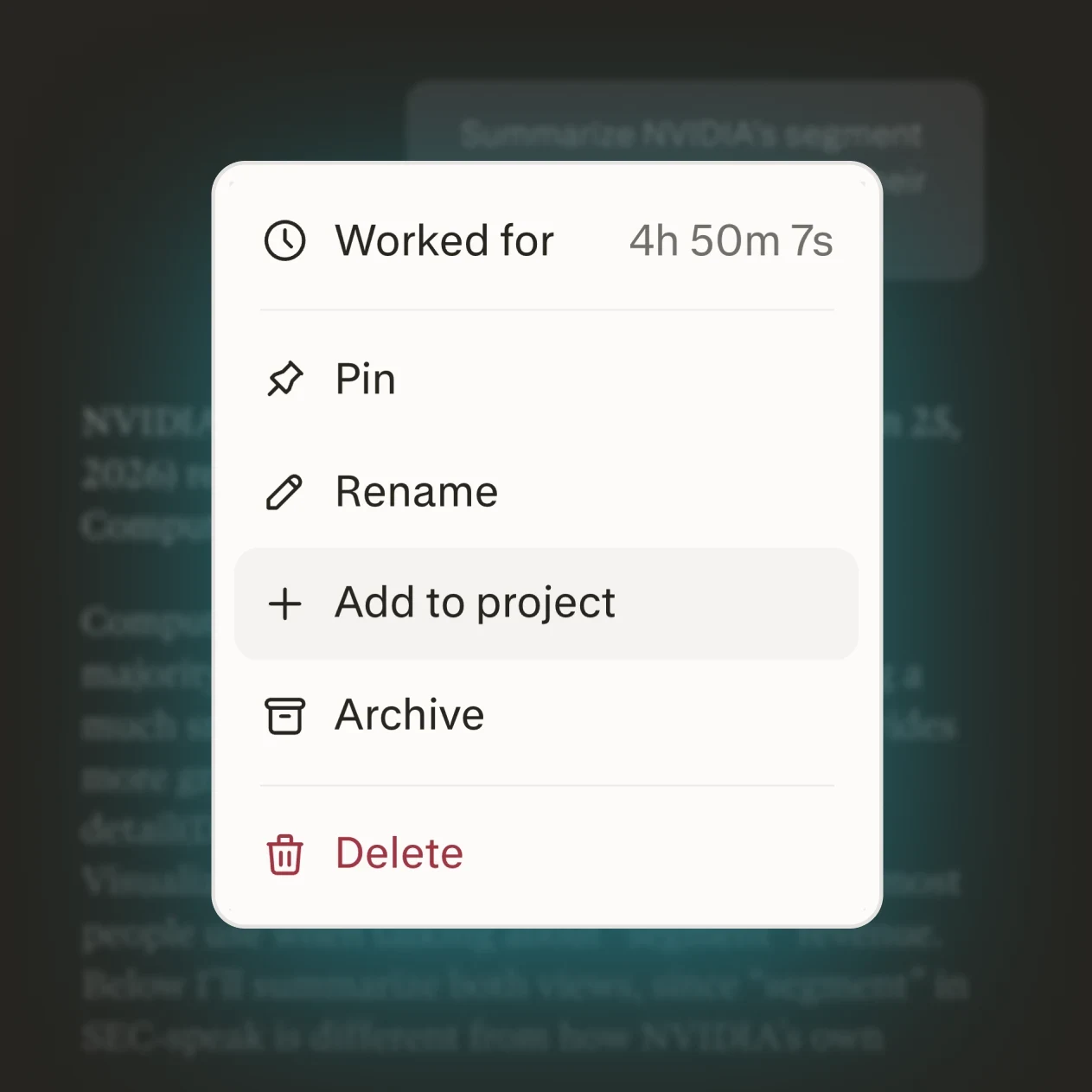
The Sessions page provides a three-dot menu for adding an existing session to a Project. Answers can also be exported as PDF, Markdown or DOCX. Keep a dated reviewed version so later research does not silently replace the evidence behind a previous recommendation. [3]
Projects are private by default, and Can view members can read shared project sessions and files. Check the session’s own sharing choice too: Anyone with the link allows recipients to view and reshare that session. [2][3]
Use a small review handoff: confirmed facts, source links, service hypotheses and questions for the account owner. Decide separately whether any outreach is appropriate. Completing a research brief does not mean a customer has requested a proposal or accepted an offer.
Sources & further reading
Build a research-to-discovery workflow your team can inspect
Sociologix can help define an account-research template, connect reviewed findings to your lead process and keep proposed offers separate from confirmed customer needs. Bring a sample brief and the handoffs your team wants to improve.
Talk to Sociologix